
ShowChat:Friend | Girls Dance
JADE RACK CONTRACTORS LLCSocial
4.3249.00 Reviews
- Version
- 1.9.1
- Installs
- 10.00K
- Age Rating
- Mature 17+
Screenshots
Our Review of ShowChat:Friend | Girls Dance
 Analysis by Appyee
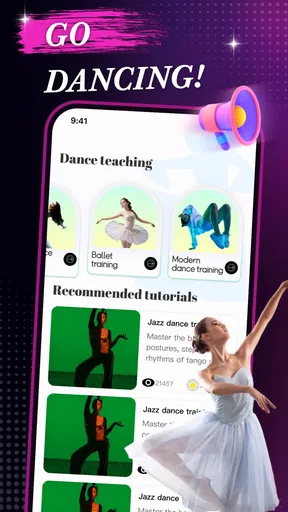
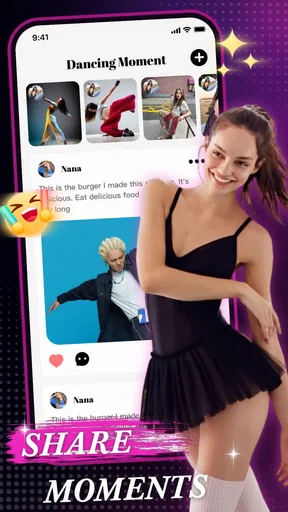
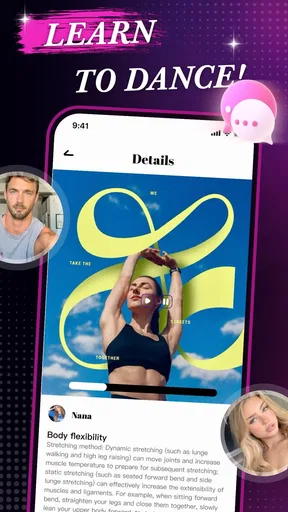
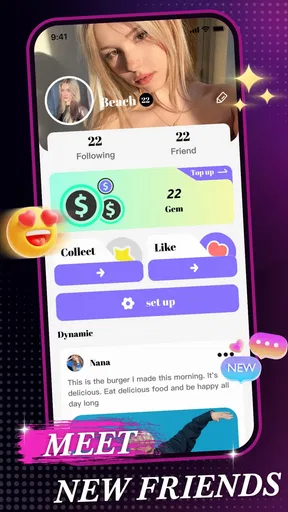
ShowChat: Friend | Girls Dance is a social app built around sharing online videos and learning dance through that shared-video experience. I approached it less like a general social network and more like a place to watch movement, pick up ideas, and decide whether I want to participate or simply browse. That distinction matters, because its value depends on what you want from a social app: quick entertainment, dance inspiration, or a more focused way to exchange short video content.
The app is free to install, with optional purchases ranging from $0.99 to $99.99 per item. It is marked for mature users aged 17 and over, so I would not treat it as a casual children’s video app. JADE RACK CONTRACTORS LLC is listed as the developer, and the current release is version 1.9.1. It has a 4.3 average from around 1.8 thousand ratings, with more than 10 thousand installs, which gives it a modest but visible audience rather than the scale of a mainstream social platform.
Learning dance through shared video
The most interesting capability here is the combination of online video sharing and dance learning. Many social apps let people upload or watch clips, while many dance tools focus on structured lessons. ShowChat sits between those approaches. The appeal is that a dance clip can be both something to watch and a starting point for practice.
In my experience, that changes how I judge a video. I am not only asking whether it is entertaining. I am also looking at the timing, the sequence of movements, the way the performer uses space, and whether the clip gives me something I can try myself. That makes the app more useful for casual learners than a purely passive feed, even though it should not be confused with a full course taught step by step.
The social side also gives the dance content a different feel from a traditional tutorial library. A formal lesson usually tells me what to do in a fixed order. A shared clip gives me a reference point and leaves more of the learning process to me. That freedom is enjoyable when I already know the basics or want to experiment, but it can feel less helpful when I need slow explanations, repeated counts, or corrections.
The key benefit is turning inspiration into a practice prompt. A short video can help me notice a transition, a pose, or a rhythm that I would not have thought to try. I can then replay the idea mentally, practice it away from the screen, and return to the app when I want another reference. This makes the app especially suitable for people who learn by watching and imitating rather than reading instructions.
What the video-first approach feels like
ShowChat works best when I give myself a small purpose before opening it. If I simply enter looking for endless entertainment, the learning angle can disappear quickly. If I decide that I want to find a movement idea, compare a few interpretations, or collect inspiration for practice, the same type of content becomes much more useful.
That is one of the less obvious trade-offs of the design. The app can support discovery, but discovery is not the same as a syllabus. I would not expect it to replace a dance teacher, a carefully organized course, or a specialist training app. Instead, I see it as a flexible visual companion for people who want to explore styles and movements at their own pace.
For a beginner, I would recommend choosing one small movement from a clip rather than trying to reproduce an entire routine immediately. This is a practical way to avoid the common problem of watching several videos without actually practicing any of them. For an intermediate dancer, the app can be more rewarding because the user can focus on details such as transitions, posture, or musical phrasing instead of needing every basic movement explained.
Using it in an everyday routine
A realistic use case is an evening practice session after work or school. I might open the app with the intention of finding one idea for a short routine. Rather than trying to memorize everything, I would watch a selected clip, identify the part that interests me, and practice that section several times without constantly holding the phone. Afterward, I could return to the video to check the timing and refine the movement.
This workflow is better than leaving the app open while practicing because the phone can become a distraction. The social feed encourages browsing, while learning requires repetition. My advice is to separate the two activities: browse first, choose one reference, then put the device aside long enough to practice. That simple habit makes the dance-learning capability feel intentional instead of turning into another passive scrolling session.
Another useful approach is to treat videos as visual notes. If I see a movement I like, I can remember its general shape and rhythm, then build my own variation rather than copying a full performance. This is particularly helpful for users who want creative prompts. The trade-off is that the app may inspire ideas without giving enough technical detail to explain why a movement works or how to fix an error.
Who will get the most from it
I think ShowChat is most appealing to casual dancers, people who enjoy performance clips, and users who prefer learning through visual examples. It may also suit someone who feels intimidated by formal classes and wants a low-pressure way to explore dance before committing to lessons. The social setting can make the experience feel more personal than a static collection of instructional videos.
It is also a reasonable fit for users who want a mixture of entertainment and practice. You can approach the same content in different ways depending on your mood: watch for fun, look for a movement idea, or use a clip as a starting point for your own routine. That flexibility is the app’s strongest quality, but it also means the user has to provide some structure.
I would be more cautious about recommending it to someone seeking a complete beginner program. If you need a clear progression from warm-up to fundamentals to advanced combinations, a dedicated dance-learning service is likely the better choice. The same is true for anyone who wants detailed feedback on technique. Shared videos can show what a movement looks like, but watching a performance does not automatically tell me whether my knees, shoulders, balance, or timing are correct.
The mature age classification is another important consideration. I would only recommend the app to people who meet that age requirement, and I would encourage users to think carefully about how much personal interaction they want in a social video environment. Anyone looking for a tightly controlled, family-oriented viewing space should choose an alternative designed specifically for that purpose.
Where it compares well with familiar alternatives
Compared with a general short-video platform, ShowChat has a clearer reason to exist: dance and shared video are closer to the center of the experience. A broad platform may offer a larger variety of creators and subjects, but that variety can make dance discovery feel scattered. Here, the dance-learning angle gives me a more specific reason to open the app.
Compared with a traditional tutorial app, the advantage is spontaneity. I can discover styles and ideas through social content rather than following a fixed lesson plan. The disadvantage is consistency. A tutorial app normally makes it easier to know what to practice next, while a social video app can leave me choosing between inspiration and distraction.
Compared with a private video folder or saved collection, the social format offers discovery and a sense of current activity. However, a personal collection is easier to control and revisit without the uncertainty of a feed. If my main goal is to repeat the same carefully selected lessons every day, I would probably prefer a dedicated learning tool or a simple playlist system.
Costs, access, and practical expectations
The app itself is free, which makes trying the video-sharing and dance-learning concept fairly accessible. Optional in-app purchases are available from $0.99 to $99.99 per item, so I would pay attention before confirming anything inside the app. The wide purchase range means I would not assume that every part of the experience is included simply because installation costs nothing.
ShowChat supports Android devices running version 7.0 or later. That is useful for people using older compatible phones, although the quality of any video-focused experience will still depend on the device, display, storage, and connection available in everyday use. I would also keep an eye on battery use during longer viewing sessions, especially if I am using the app while practicing and repeatedly checking clips.
Because this is a social app, I would approach sharing with more care than I would use in a private dance notebook. Before posting anything, I would decide whether I am comfortable showing my face, surroundings, or other identifying details. I would also avoid treating public reactions as a measure of whether I am improving. The most useful test is whether a clip helps me practice with more confidence or understand a movement more clearly.
Small strategies that make the experience better
My first recommendation is to use a “one clip, one goal” rule. Choose a video and decide whether the goal is timing, footwork, arm placement, or simply finding a creative idea. This prevents the social side from overwhelming the learning side and gives each viewing session a practical outcome.
Second, I would watch a clip once without moving, then try the movement slowly before attempting it at normal speed. This is more effective than immediately copying a fast performance. If the app does not provide the detailed breakdown found in a specialist lesson, the responsibility for slowing down and isolating sections falls on the viewer.
Third, I would use the app for inspiration before choreography rather than after a long practice session. When I am already tired, scrolling through more performances can feel productive without actually improving my dancing. Opening it at the planning stage helps me collect ideas, then I can spend the rest of the session away from the feed.
A fourth useful insight is to judge content by repeat value, not just first impressions. A dramatic clip may be fun once, while a simpler movement may be easier to remember and adapt. For learning, the second type can be more valuable. I would favor videos that give me a clear movement idea I can reproduce over clips that are impressive but difficult to translate into practice.
Limitations worth considering before installing
The central limitation is the gap between seeing dance and learning dance. A video can demonstrate a result without explaining the process. Beginners may need to pause frequently, invent their own counts, and accept that progress will be uneven. That is not necessarily a flaw in the concept, but it is important to understand before expecting classroom-style instruction.
The social format can also make attention harder to manage. The same feed that introduces a useful idea may encourage me to keep watching instead of practicing. Users who are easily pulled into endless browsing should set a time boundary or decide on a specific task before opening the app.
There is also a personal-comfort question. The mature rating means I would not recommend it as a shared family tablet app or as a first social platform for younger users. Adults who are comfortable with social video may find the setting appropriate, but anyone wanting a strictly private or tightly curated learning environment may feel more at ease elsewhere.
The purchase structure deserves a similar level of awareness. Since the app is free with optional items, I would review each purchase prompt carefully and avoid spending simply because a social experience creates pressure to keep up. The best way to evaluate the app is to see whether its free experience already fits my routine before considering any optional spending.
My final recommendation
After using ShowChat as a dance-focused social app, I see its strongest role clearly: it is a place to discover movement through shared video and turn that discovery into informal practice. It is not the most suitable replacement for a structured dance course, and it is not the right choice for users who want a child-friendly or completely private environment. Its value appears when I want visual inspiration, social discovery, and the freedom to learn in my own way.
I would recommend it to an adult who enjoys dance clips and wants more from them than passive viewing. Start with a small goal, choose one movement, and keep practice separate from scrolling. That approach makes the app feel purposeful and reveals its real strength. ShowChat is most useful when I treat the social feed as a source of dance ideas, not as the lesson itself.
With a 4.3 average and a growing audience of over 10 thousand installs, it has enough early interest to be worth exploring, while its free entry point lowers the risk of trying it. The current version, 1.9.1, gives prospective users a straightforward way to test the concept on a compatible Android device. For the right person, it can add energy and variety to dance practice; for someone who needs a carefully sequenced curriculum, a specialist alternative will remain the better fit.
Verdict
Strengths of ShowChat:Friend | Girls Dance
- Simple interface makes browsing dance clips quick and easy.
- Short videos load smoothly on most modern devices.
- Users can discover creators with different dance styles.
- The social format encourages casual interaction and sharing.
- Regular content updates can keep the feed feeling fresh.
Limitations of ShowChat:Friend | Girls Dance
- Some profiles or content may feel repetitive after extended use.
- The app may require considerable storage for cached video content.
- User interactions can vary widely in quality and responsiveness.
- Privacy settings may need careful review before sharing personal details.
- Availability and features may differ depending on your region or device.
Similar Picks in This Category
View All
Meta Platforms, Inc.4.6

Instagram4.0

Likee-Live, Chat & Party Games
Likeme Pte. Ltd.4.4

Facebook Lite
Meta Platforms, Inc.4.5

TikTok - Videos, Shop & LIVE
TikTok Pte. Ltd.4.0

Moj: Free Short Drama & Reels
ShareChat4.1
Frequently Asked Questions
What is ShowChat: Friend | Girls Dance, and what can I do with it?
ShowChat: Friend | Girls Dance is a social entertainment app focused on discovering dance-related content and interacting with other users. After installing it, you can browse available profiles or videos, follow creators, send messages where supported, and participate in conversations. The exact experience may depend on your region, account status, and the features currently offered by the developer.
Is ShowChat: Friend | Girls Dance free to download and use?
The app may be available as a free download, but some features can require in-app purchases, subscriptions, coins, or other paid options. Before using any premium interaction, check the pricing page carefully and confirm whether payments renew automatically. App-store charges, refund rules, and subscription cancellation procedures are controlled by Google Play or the Apple App Store.
Is ShowChat: Friend | Girls Dance safe for chatting and meeting new people?
As with any social or live-chat platform, you should use caution when communicating with people you do not know. Avoid sharing your address, passwords, financial information, private documents, or personal contact details too quickly. Use the app’s block and report tools for suspicious behavior, and remember that profiles, photos, and claims made by other users may not always be genuine.
Does ShowChat: Friend | Girls Dance require an account, camera, microphone, or location access?
Some parts of the application may require registration, while additional permissions can be requested for messaging, video, voice, or profile features. You should review each permission request instead of approving everything automatically. Camera, microphone, contacts, notification, and location access should only be enabled when necessary, and you can usually manage these permissions later through your Android or iOS settings.
Is ShowChat: Friend | Girls Dance suitable for children and teenagers?
This type of social and dating-oriented entertainment app may include user-generated content, private conversations, live interactions, or mature themes, so it may not be appropriate for children. Check the age rating shown in your local app store and review the developer’s terms and privacy policy. Parents should use device-level controls and discuss online safety before allowing access.
